
Selected work

Our portfolio

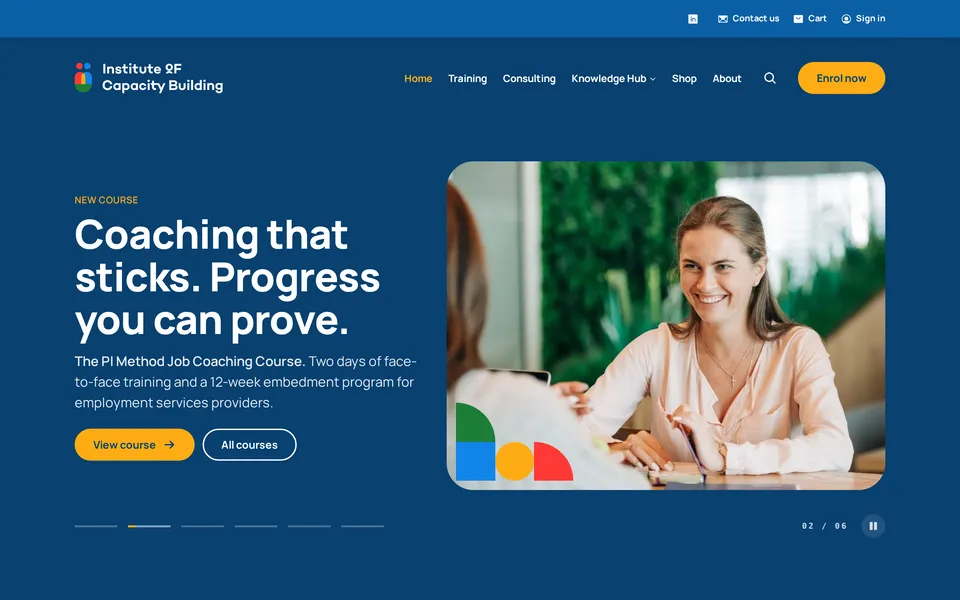
The Institute of Capacity Building homepage on desktop: a navy hero introducing a job coaching course, beside a photo framed by the brand's coloured shapes.
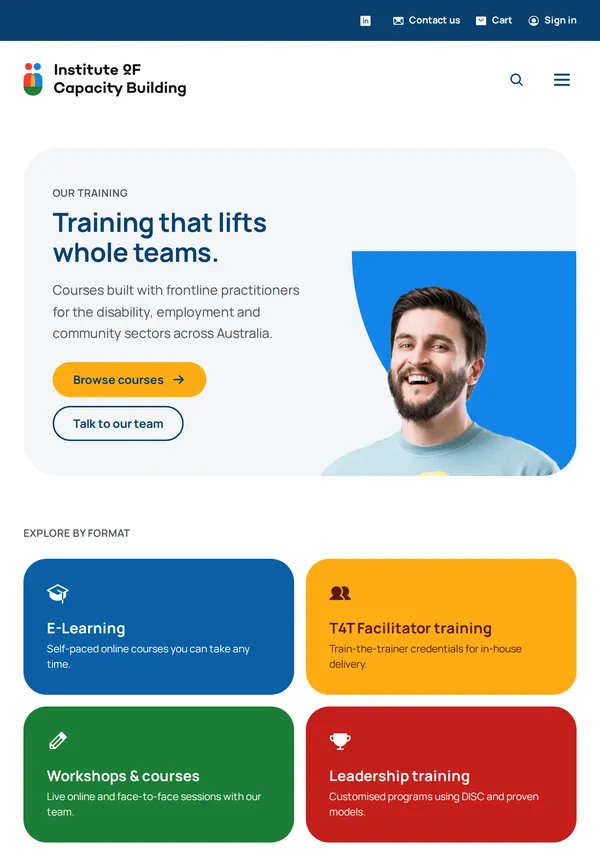
The training page on a tablet: the headline 'Training that lifts whole teams' beside a smiling participant on a sweep of bright blue.
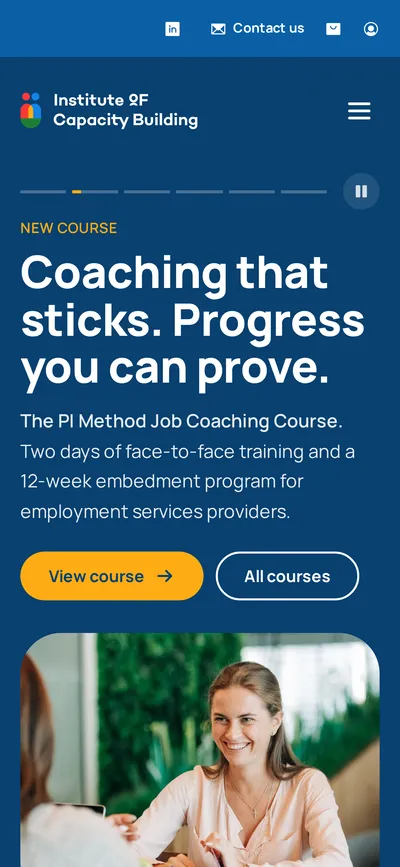
The homepage on a phone, with the headline, course summary and buttons stacked above the photo.

Institute of Capacity Building

A new website, online shop and free Knowledge Hub that replaced a WordPress site and an Etsy store.

  • Design
  • Web development
  • Online shop
Visit instituteofcapacitybuilding.com (opens in a new tab)
Performance on desktop
100
Accessibility
100
SEO
100

Google Lighthouse scores for the live homepage, October 2026.

The Institute of Capacity Building homepage on desktop: a navy hero introducing a job coaching course, beside a photo framed by the brand's coloured shapes.
The training page on a tablet: the headline 'Training that lifts whole teams' beside a smiling participant on a sweep of bright blue.
The homepage on a phone, with the headline, course summary and buttons stacked above the photo.

The Institute trains and supports people across Australia’s disability, employment and community sectors. Their courses, books and free reference library were spread across a WordPress site and an Etsy store, so we designed and built one site that looks like them, sells directly and that their own team runs day to day.

Online shop

A shop that replaced Etsy

Books, card decks and money-saving bundles sell straight from the Institute’s own site. Postage is worked out from the cart, customers pay without being sent elsewhere, and every order, dispatch and refund email goes out on its own.
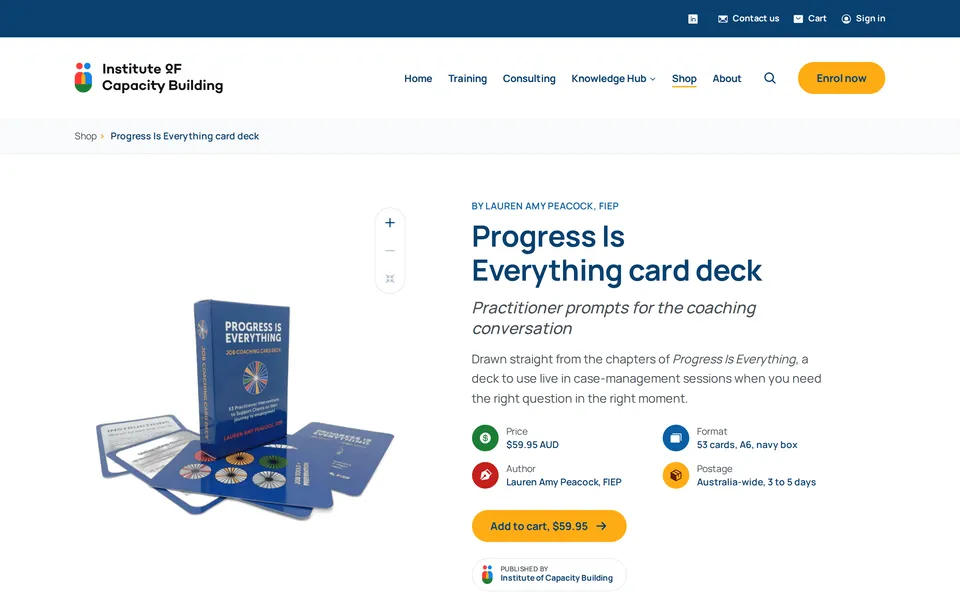
A product page on desktop: the Progress Is Everything card deck beside its price, format, author and postage, with an add to cart button.
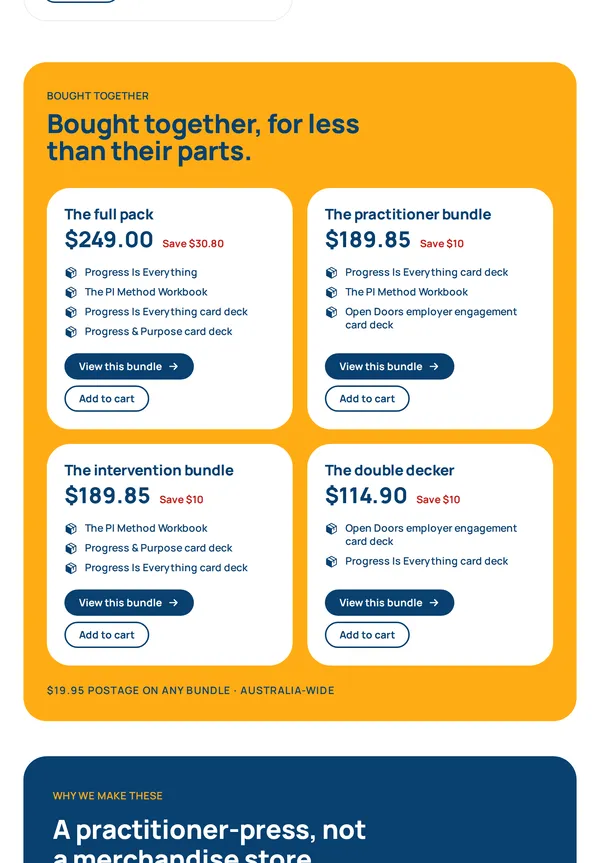
Bundles on a tablet: four sets of books and card decks, each with its price and how much it saves.
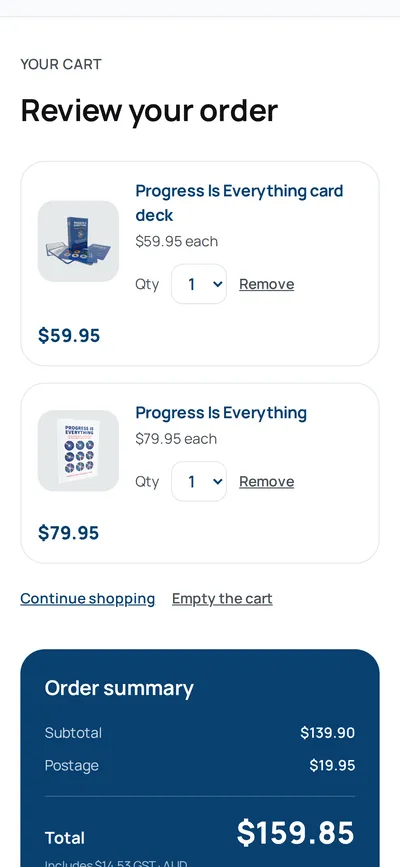
The cart on a phone, with a card deck and a book above an order summary that adds the postage.

Knowledge Hub

A free library that connects the dots

We moved every entry of the Institute’s two free resources across from the old site and linked them together, so a manager can go from a condition to the workplace changes that help, and back, in one click. One search covers the whole site and suggests the right word when one is mistyped.
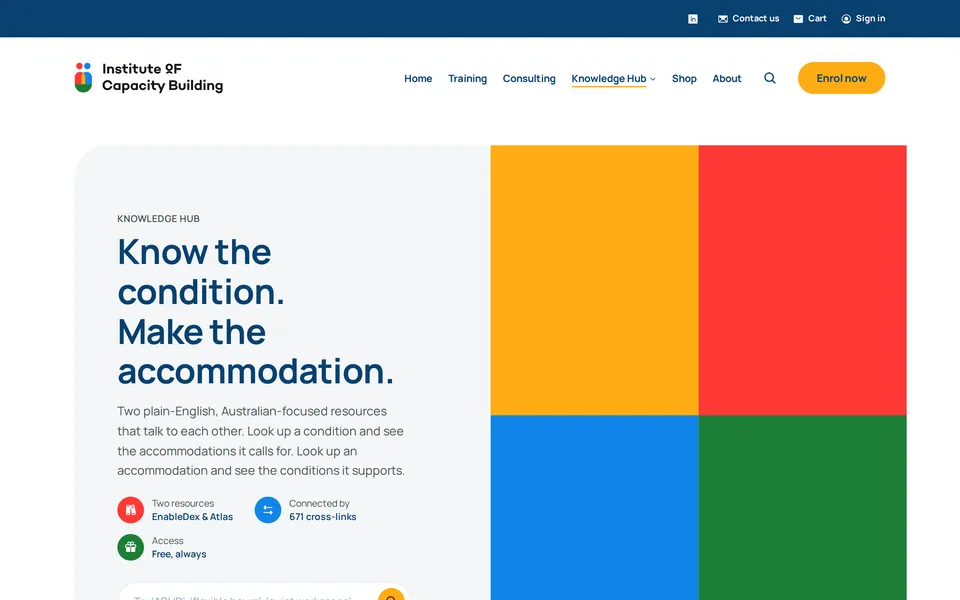
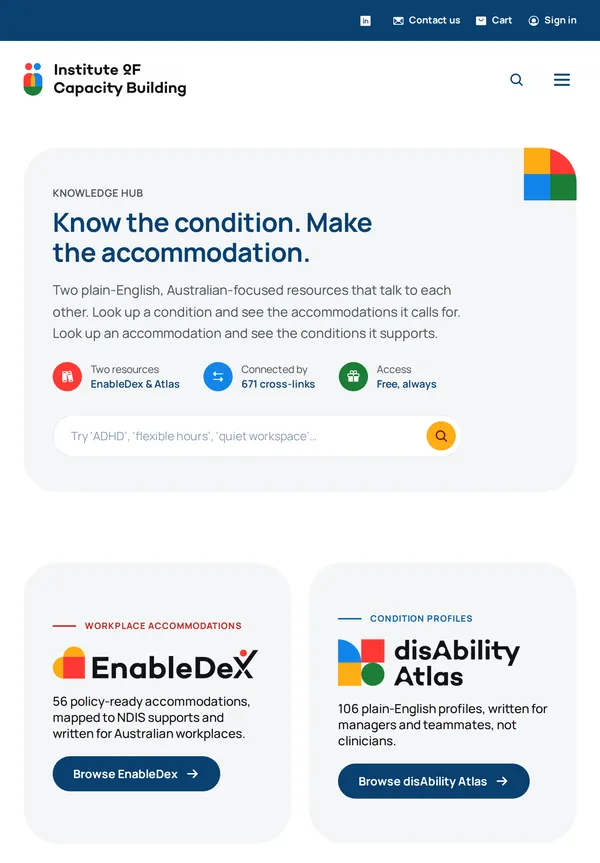
The Knowledge Hub landing page: the headline 'Know the condition. Make the accommodation.' beside four blocks of the brand colours.
The Knowledge Hub on a tablet, with its search box and cards introducing EnableDex and the disAbility Atlas.

Behind the scenes

Run by their team

A back office for orders, stock, courses and the Knowledge Hub, so changes never wait on a developer.

Accessible

Built to WCAG 2.2 AA, with full keyboard use and reduced-motion support throughout.

Fast

Quick on any connection, with every image sized for the screen it lands on.

Easy to find

Every old address points to its new home, so links and search results kept working.
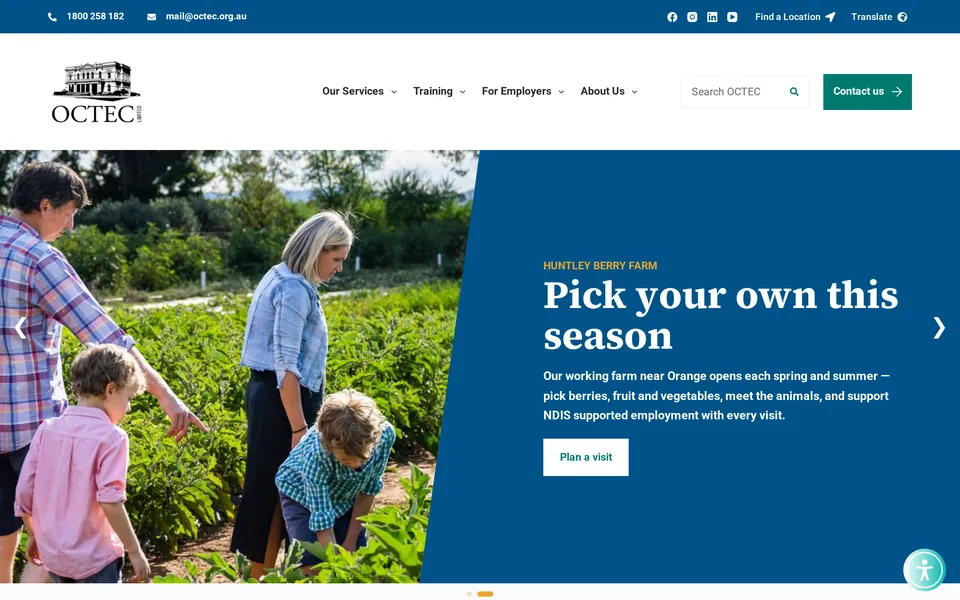
The OCTEC homepage on desktop: the headline 'Pick your own this season' for Huntley Berry Farm on a blue panel beside a family picking vegetables.
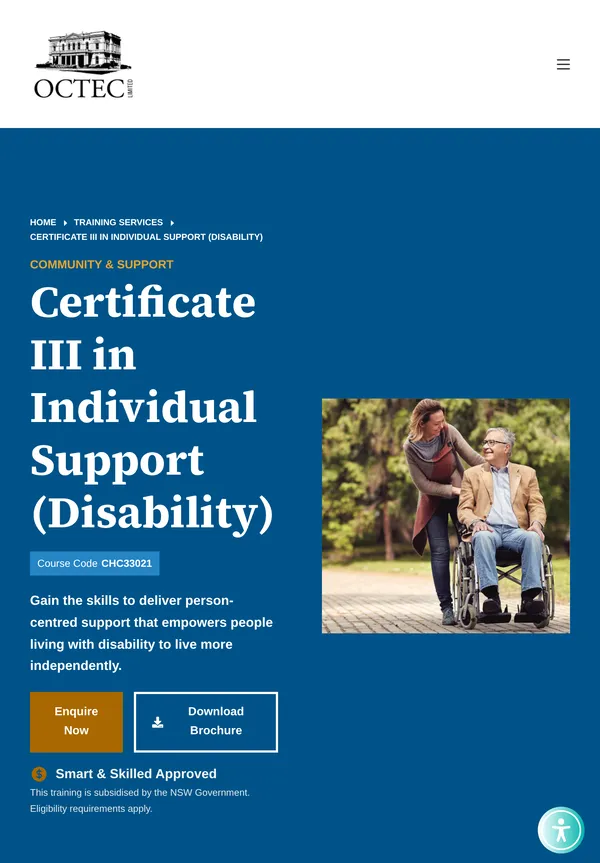
A course page on a tablet: Certificate III in Individual Support (Disability), with its course code, an enquiry button and a brochure download.
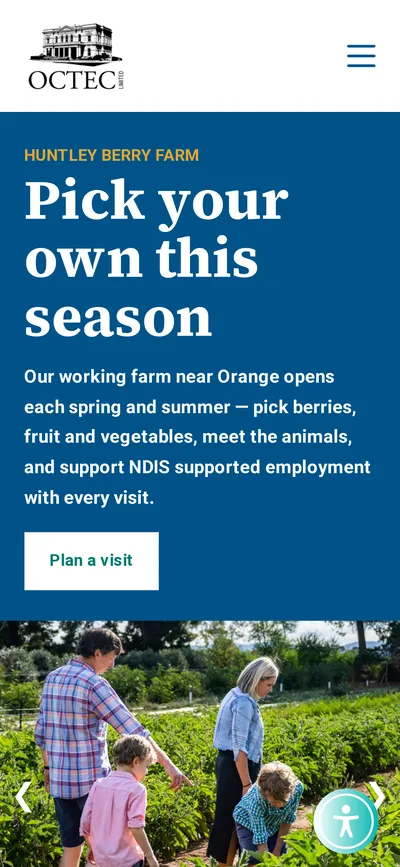
The OCTEC homepage on a phone, with the farm headline and a Plan a visit button stacked above the photo.

OCTEC

A new website for a not-for-profit with 35 offices, with clear paths to help, a nearest-office finder and 27 languages.

  • Design
  • Web development
Visit octec.org.au (opens in a new tab)
Offices, found by suburb or postcode
35
Accredited courses, each with its own page
19
Languages to read the site in
27
The OCTEC homepage on desktop: the headline 'Pick your own this season' for Huntley Berry Farm on a blue panel beside a family picking vegetables.
A course page on a tablet: Certificate III in Individual Support (Disability), with its course code, an enquiry button and a brochure download.
The OCTEC homepage on a phone, with the farm headline and a Plan a visit button stacked above the photo.

OCTEC has helped people into work and training across NSW, the ACT and Victoria since 1976. We redesigned and rebuilt their website around the people it serves, with clear paths from the homepage for job seekers, employers and NDIS participants, so anyone can find the right service, office or course quickly, in their own language.

Office finder

The nearest office, first

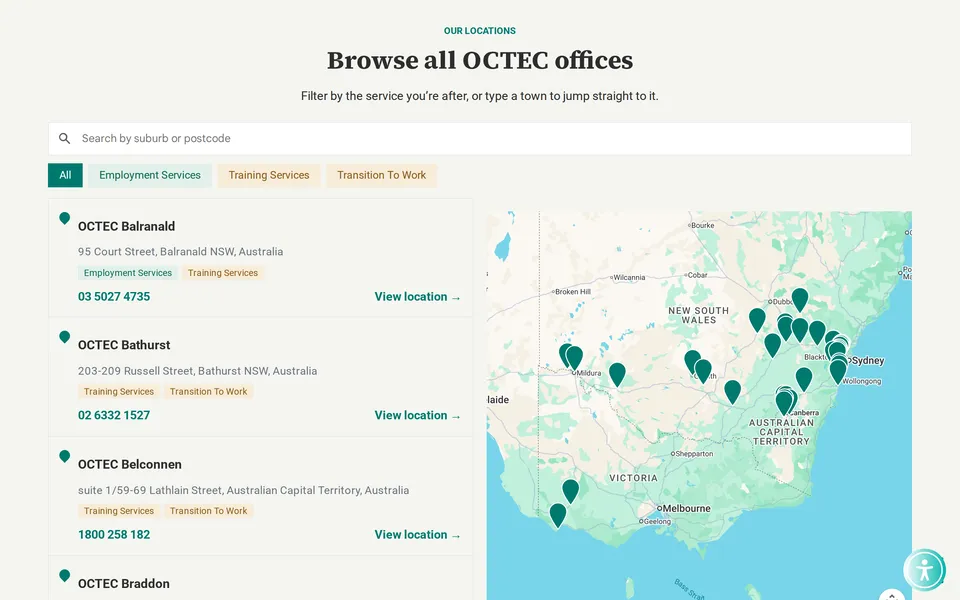
Type a suburb or postcode and the closest offices come up first, with the distance to each. People can filter by the service they need and open the finder from any page.

The office finder: a search box and service filters above a list of offices with phone numbers, beside a map of south-eastern Australia dotted with OCTEC pins.

Languages

In your own language

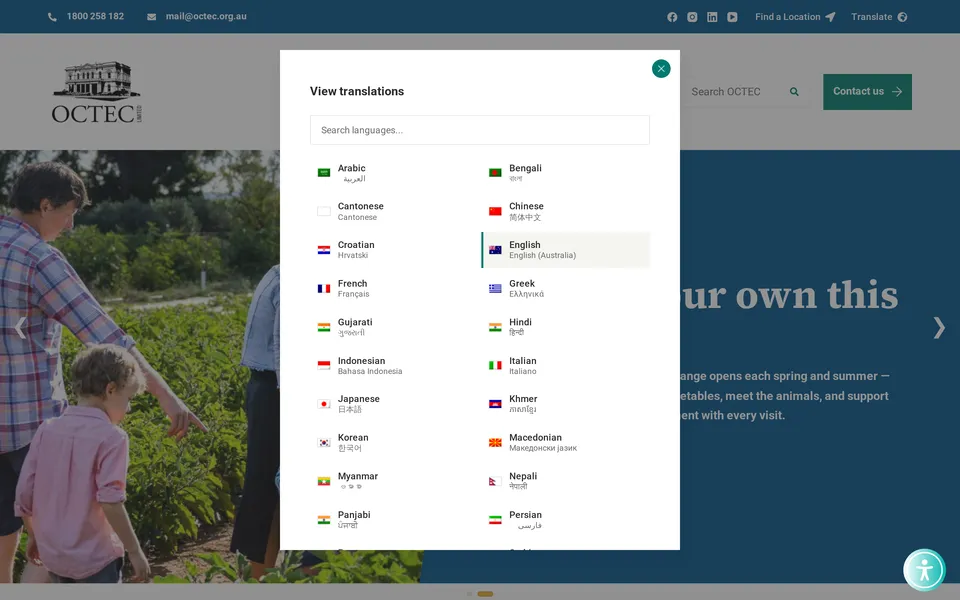
A Translate button on every page opens the site in 27 languages, each listed in its own script so people can find theirs at a glance, with the national interpreter number close by.

The language picker open over the OCTEC homepage: a search box above two columns of languages, from Arabic and Bengali to Panjabi and Persian, each with its name in its own script.

Made for everyone

Clear paths

Job seekers, employers and NDIS participants each have a clear way in from the homepage.

Help close by

The phone number, email and a Find a Location button sit at the top of every page.

Courses made clear

Every course has its own page with what it covers, how it is delivered and how to enquire.

Easy to read

A calm colour palette with every text and background pairing checked for contrast.

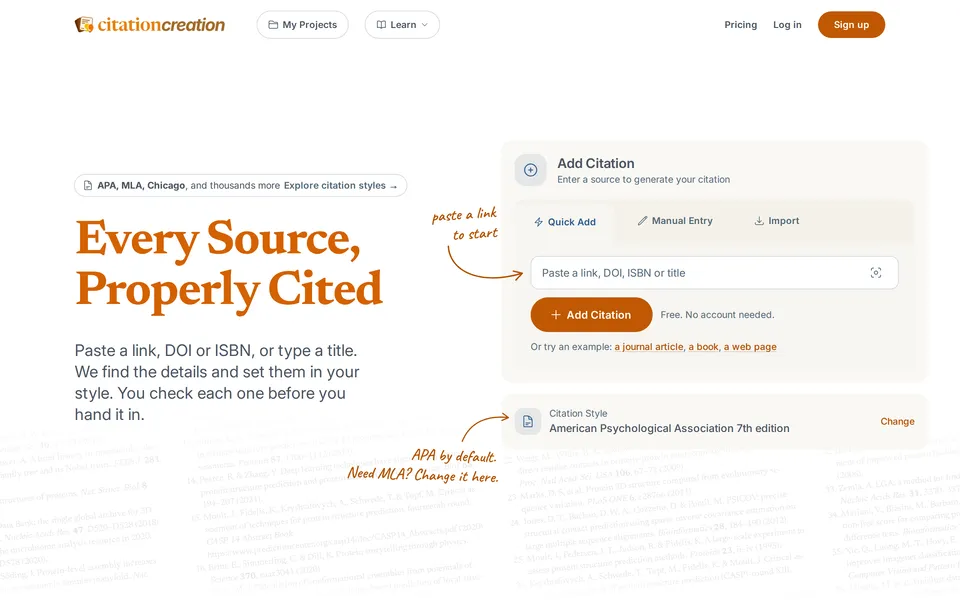
The Citation Creation homepage: the headline 'Every Source, Properly Cited' beside a box for pasting a link, DOI, ISBN or title.
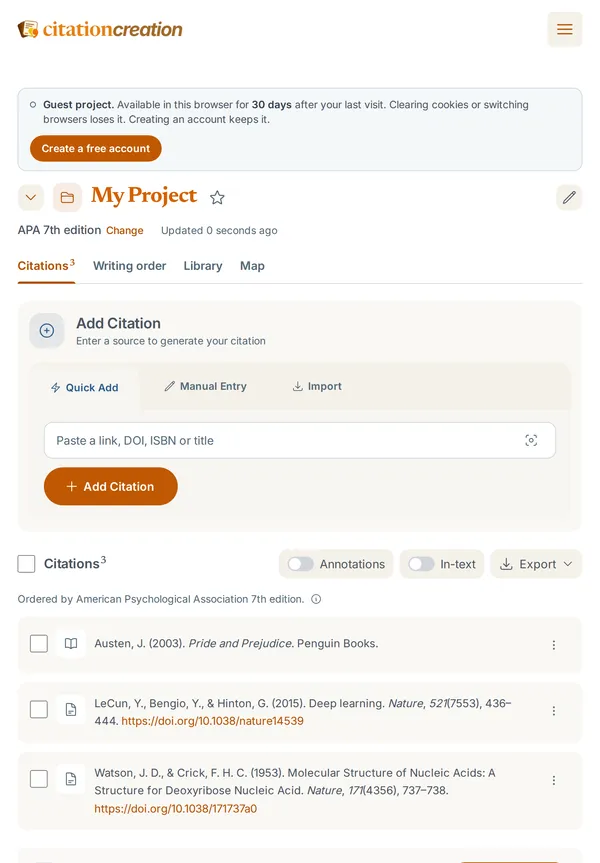
A project on a tablet, with three references formatted in APA 7th edition under tabs for citations, writing order, library and map.
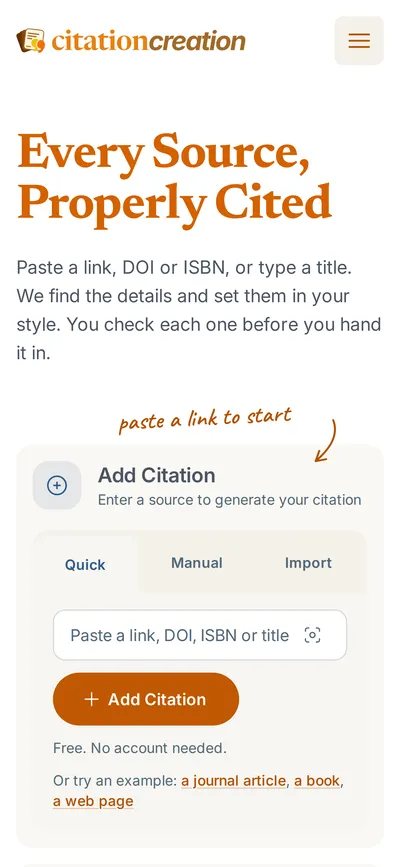
The Citation Creation homepage on a phone, with the headline above the Add Citation box.

Citation Creation

Our own citation tool: paste a link, DOI or ISBN and get a correctly formatted reference in any of over 10,000 styles.

  • Our product
  • Design
  • Web app
Visit citationcreation.com (opens in a new tab)
Citation styles
10640
Kinds of source, from books to legal cases
45
Export formats, including Word and BibTeX
6
The Citation Creation homepage: the headline 'Every Source, Properly Cited' beside a box for pasting a link, DOI, ISBN or title.
A project on a tablet, with three references formatted in APA 7th edition under tabs for citations, writing order, library and map.
The Citation Creation homepage on a phone, with the headline above the Add Citation box.

Citation Creation is our own product, a citation tool for students and researchers. Paste a link, DOI or ISBN, or type a title, and it finds the details and sets the reference in the style you need. It’s free to use without an account, and we’re still adding to it.

Projects

From source to bibliography

You check each source before it goes in, and it’s set in your project’s style, ready to copy as a full reference, an in-text citation or a footnote. Writing order numbers footnotes the way your paper uses them, and the whole list exports to Word, PDF, BibTeX, RIS and more.

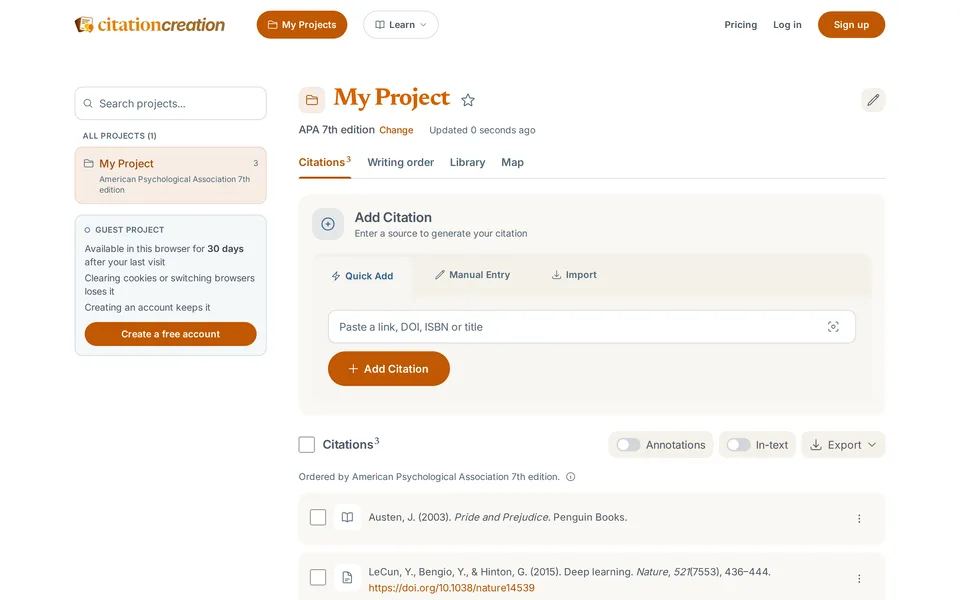
A project on desktop: the Add Citation box above a bibliography of three sources in APA 7th edition, with export, annotation and in-text controls.

Guides

A guide for every style

Every style and every kind of source has its own guide with a worked example, so people learn the rules as well as follow them. Each example is a real source, checked against where it was published.

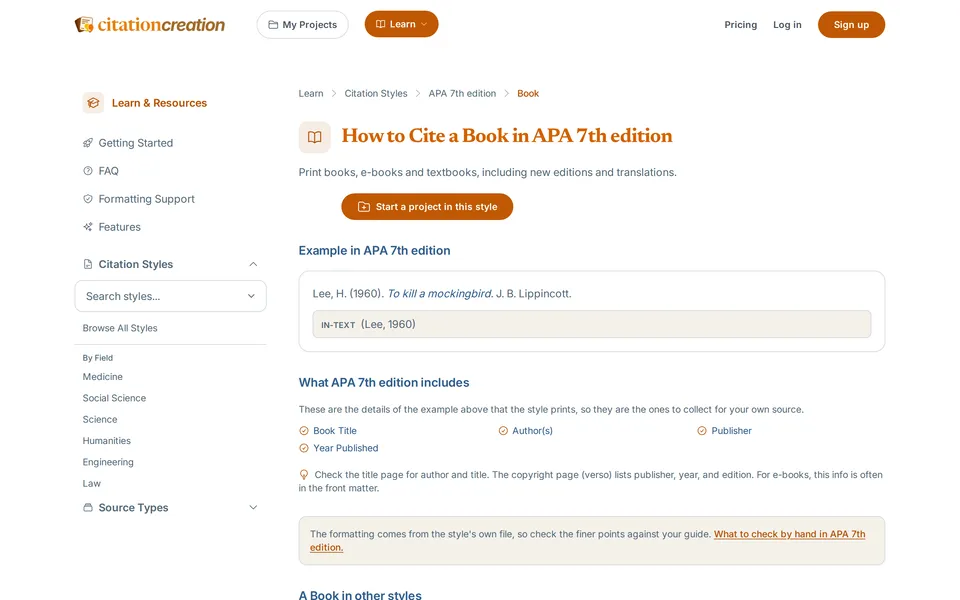
The guide 'How to Cite a Book in APA 7th edition', with a formatted example, its in-text form and the details to collect.
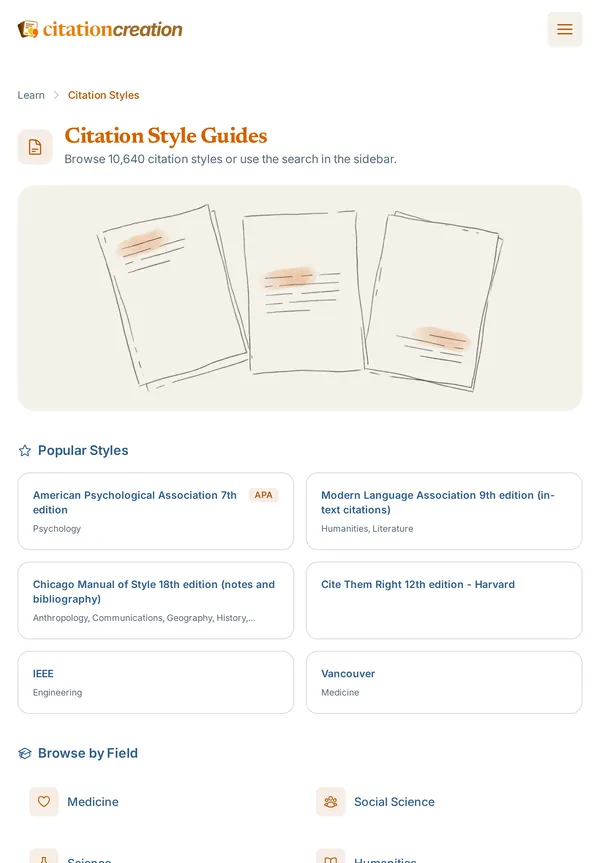
The style browser on a tablet, with popular styles such as APA, MLA, Chicago and Harvard, and styles grouped by field.

Behind the scenes

Checks your sources

With a free account, each one is looked up in scholarly records, with retractions and broken links flagged.

Finds the details

From a link, DOI, ISBN or title, or by scanning a book's barcode with your camera.

Brings your library

With a free account, import BibTeX and RIS files from Zotero, Mendeley or EndNote.

Your data, your call

Download everything or delete your account yourself, and your data is never sold.

Portfolio

Institute of Capacity Building

Have a project in mind?

Tell us what you’re planning. We’re happy to walk you through more of our work, including projects closer to yours.